Snap any part
of the screen.
Press the screenshot buttons and the screen freezes. Lasso the part you need, then pin it above every app, read its text and codes, mark it up, record it, or capture the whole page as you scroll.
iOS 15 and 16, rootless (Dopamine, palera1n). No Activator, nothing else to install.
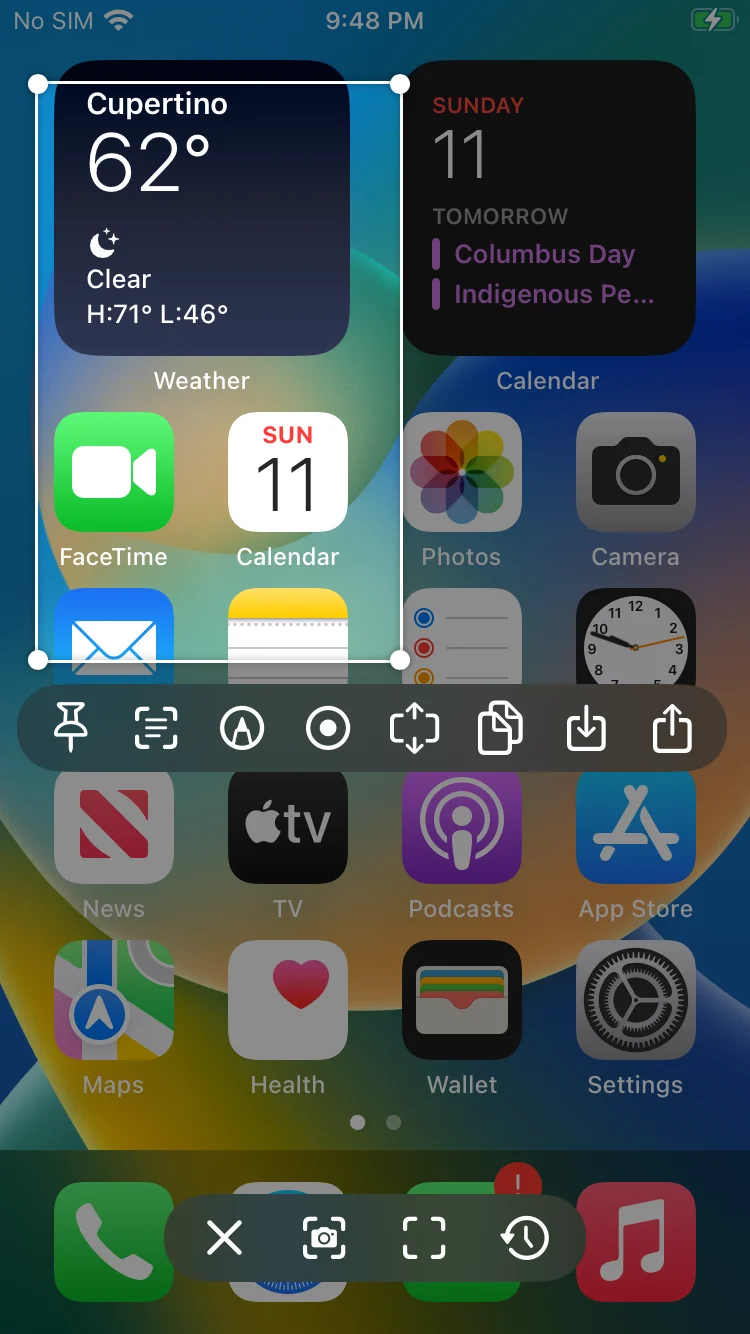
One press. Everything you'd do with a screenshot, and more.
Lasso works on a frozen copy of the screen, so nothing moves while you choose. Then one bar of actions.
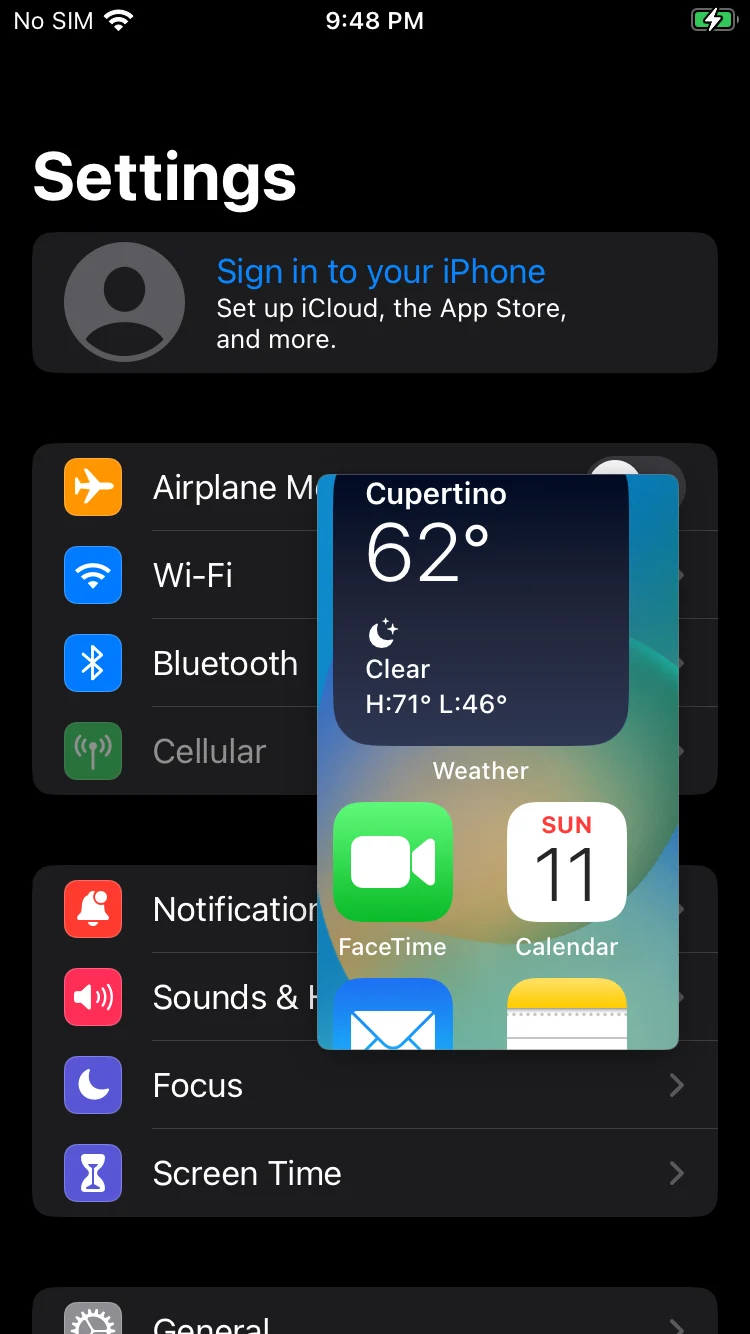
Keep it in view.
A pin floats above every app: a code to type, a recipe step, a map, a price to compare. Drag it, pinch it, fade it to see through, flick it away when you're done.
- As many pins as you like, each with its own opacity
- Touch and hold for its text, an edit, copy, save or share
- They stay after a respring, and hide while the phone is locked
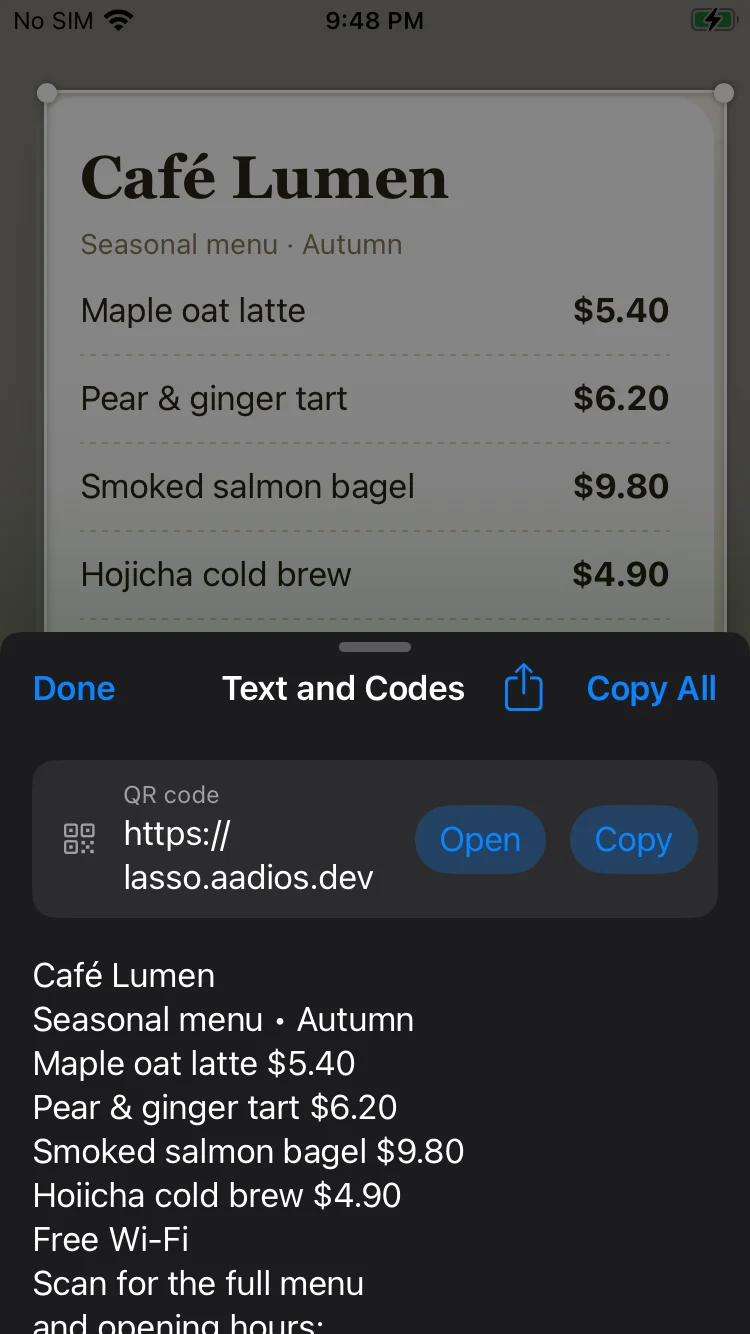
Read what's in the picture.
Lasso reads the text in a snap and every kind of barcode, right on the phone. Copy it all or just a line; links, phone numbers and addresses open with a tap.
- QR, EAN, UPC, Code 128, Data Matrix, PDF417, Aztec and more
- Three text engines, 50+ languages (see below)
- Nothing leaves your iPhone
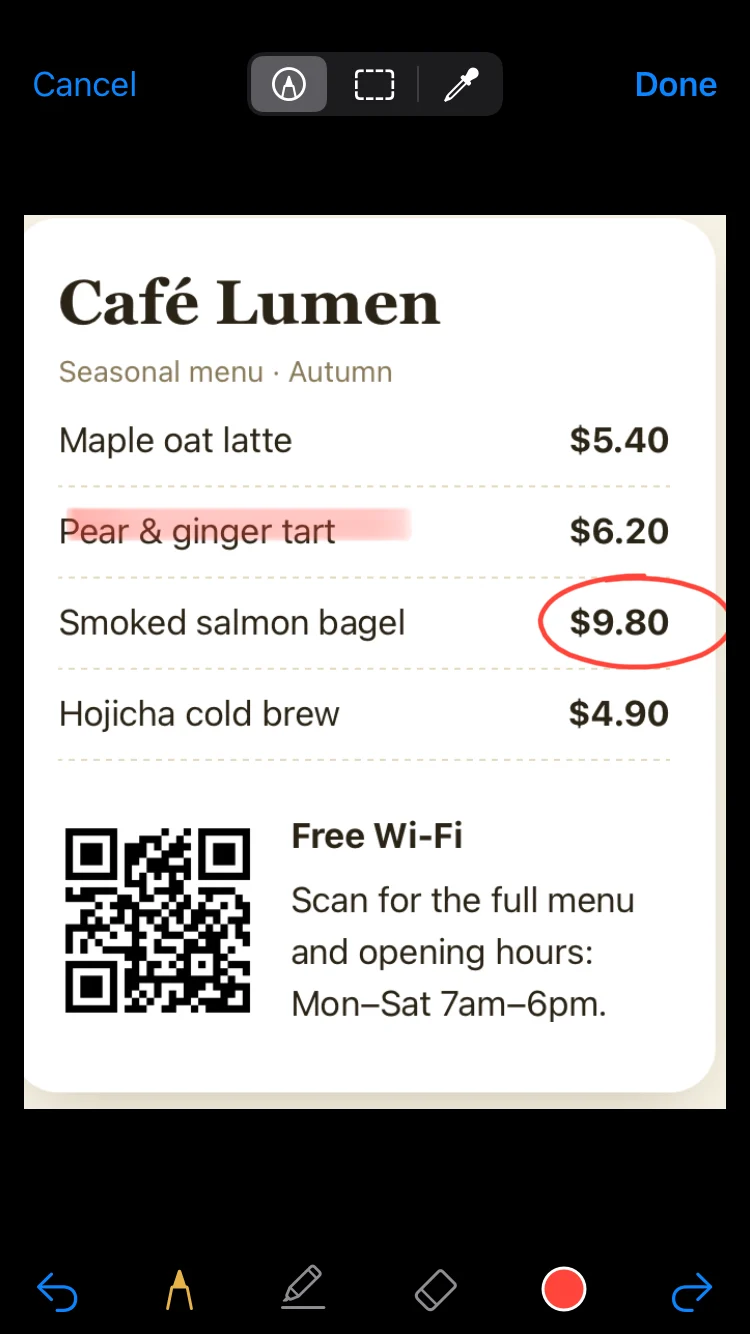
Circle it, hide it, pick its colour.
Pen, marker and eraser in six colours. Pixelate an address or a name before you share. Touch a pixel to copy its colour's hex code.
- Pixelate boxes that hide what's under them for good
- A colour picker with a magnifier
- Edit any pin or history snap later
The whole page, one image.
Start a long snap and scroll: Lasso joins what comes into view as you go, down, up or sideways. Toolbars and headers that don't move are kept once.
- Works in Safari, Settings, chats, any app that scrolls
- Stitch earlier screenshots from the history, overlaps found for you
- Pin, read, mark up or share the result
Record a region
Film just the part of the screen you selected, with the microphone, the system's sound, or both. Or save it as a looping GIF.
Searchable history
Every snap you pin, copy, save, share or read is kept with its text. Search by a word in it or the app it came from.
On the lock screen
Snap the lock screen too. Snaps of the unlocked phone close when it locks, and pins hide until you're back.
A ruler built in
The selection shows its size in points and pixels as you drag, for designers and the curious.
Landscape, too
Lasso turns with the app you're in: snap videos, games and wide pages sideways.
Share with a preview
Copy, save to Photos or share in one tap. A second press of the buttons still takes an ordinary screenshot.
Built lighter, does far more.
Screenshot tweaks have done the basics for years. Lasso starts again from how iOS draws the screen.
Reads your language.
Apple's engine reads the most common languages. For the rest, choose PaddleOCR or Tesseract in Lasso's settings: open-source engines that run on the phone, with each language downloaded only when you pick it.
Questions
How do I start Lasso?
Press the screenshot buttons, or use AssistiveTouch's or Back Tap's Screenshot. The screen freezes and you drag across the part you want. Press the buttons again, or tap the camera button, for an ordinary screenshot.
Do I need Activator or anything else?
No. Lasso uses the buttons and gestures your iPhone already has, and needs no other tweaks or frameworks.
Which languages can it read?
Apple's own engine reads English, Chinese, Japanese, Korean, French, German, Italian, Spanish, Portuguese, Russian and Ukrainian. PaddleOCR adds Traditional Chinese, Latin, Cyrillic, Arabic and Devanagari scripts, Tamil, Telugu and Kannada; Tesseract adds 37 languages including Thai, Hebrew, Greek, Turkish, Vietnamese and Persian.
Does Lasso slow my iPhone down?
No. It does nothing until you use it, and the text engines start only when you read a snap, then quit and give back their memory.
Where do my snaps go?
Only where you send them. The history stays on your iPhone, and you choose how long it's kept or turn it off.
Does it work on the lock screen?
Yes, for snapping the lock screen itself, without pins or the history. Anything you had open on the unlocked phone closes when it locks.

Lasso it. Keep it.
Coming soon to Havoc. Questions, ideas or a bug to report? Write to us.